Submitting an Excited-State Calculation with TDDFT
Running an excited-state calculation provides information about the electronic excitation energies of a system, the resulting UV-Vis spectrum, and the optimized post-excitation structure.
To run a new excited-state calculation in the GUI, find your way to this screen in Rowan:
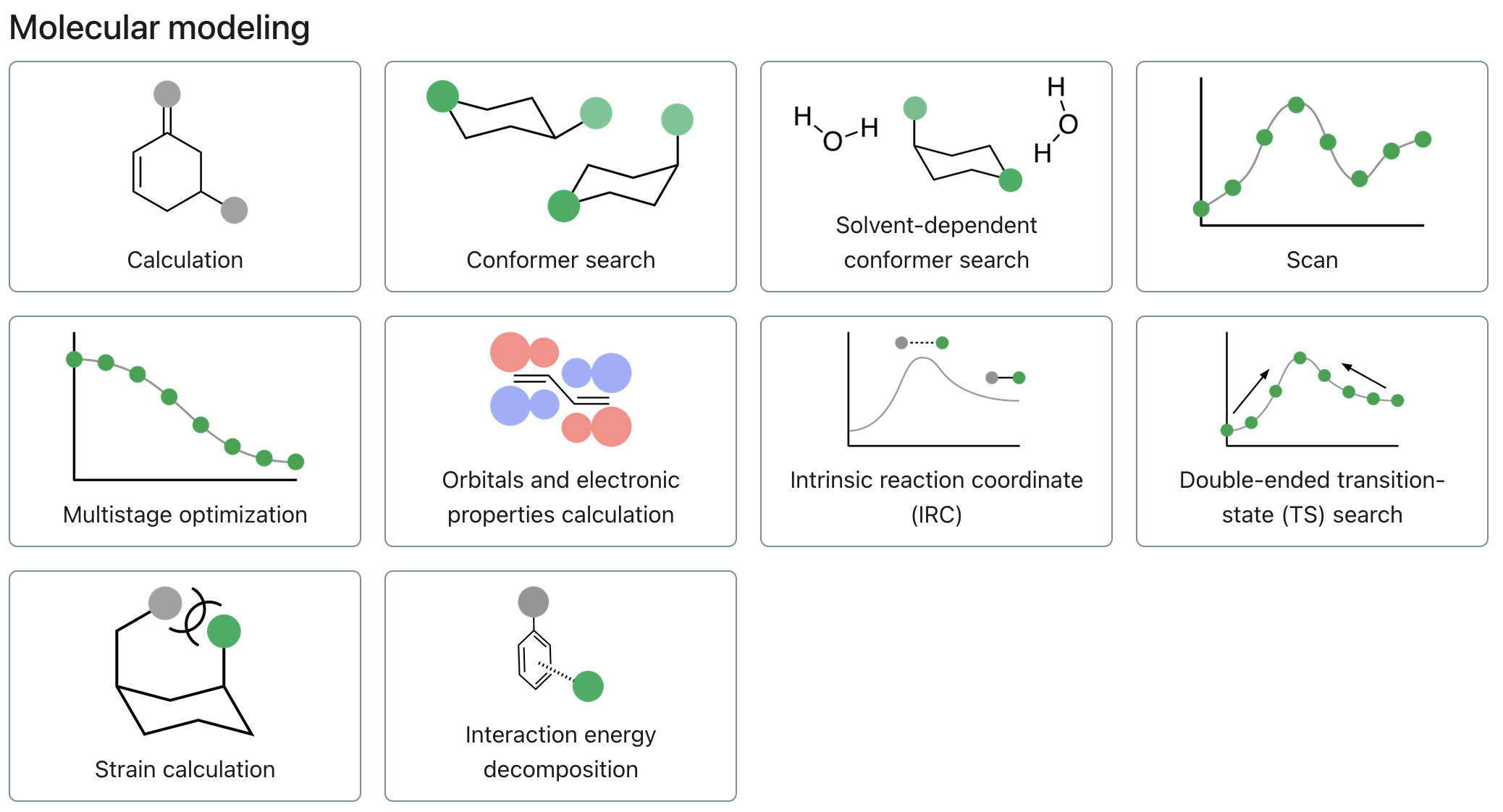
If you're currently viewing a calculation or workflow you already ran, hit the "X" icon in the top left of your screen, just below the navigation bar.
To start submitting an excited-state calculation, click "New calculation."
Select a Molecule
Calculations in Rowan are run on molecules (or systems of molecules).
To upload a molecule, you can use any of the following input formats:
- Upload a file, using the "Upload Files" button. (Rowan accepts .xyz, .gjf, .out, .mol2, and .mae chemical file formats.)
- Input a SMILES string, using the "Input SMILES" button.
- Paste XYZ coordinates, using the "Paste XYZ" button.
- Drag and drop files anywhere on the new calculation page.
For small molecules, it's often easiest to start with a SMILES string. Many 2D molecule drawing programs, including ChemDraw and MarvinJS, will let you export/copy structures as SMILES.
Editing Structures
To modify a structure you've already input, you can click the pencil icon in the top right corner of the molecule viewer and use Rowan's 3D editor.
Charge and Multiplicity
Make sure to set the charge and spin multiplicity for your selected molecule.
Level of Theory
To run a TDDFT calculation, start by selecting "TDDFT / UV-Vis Spectroscopy" as your level of theory mode.
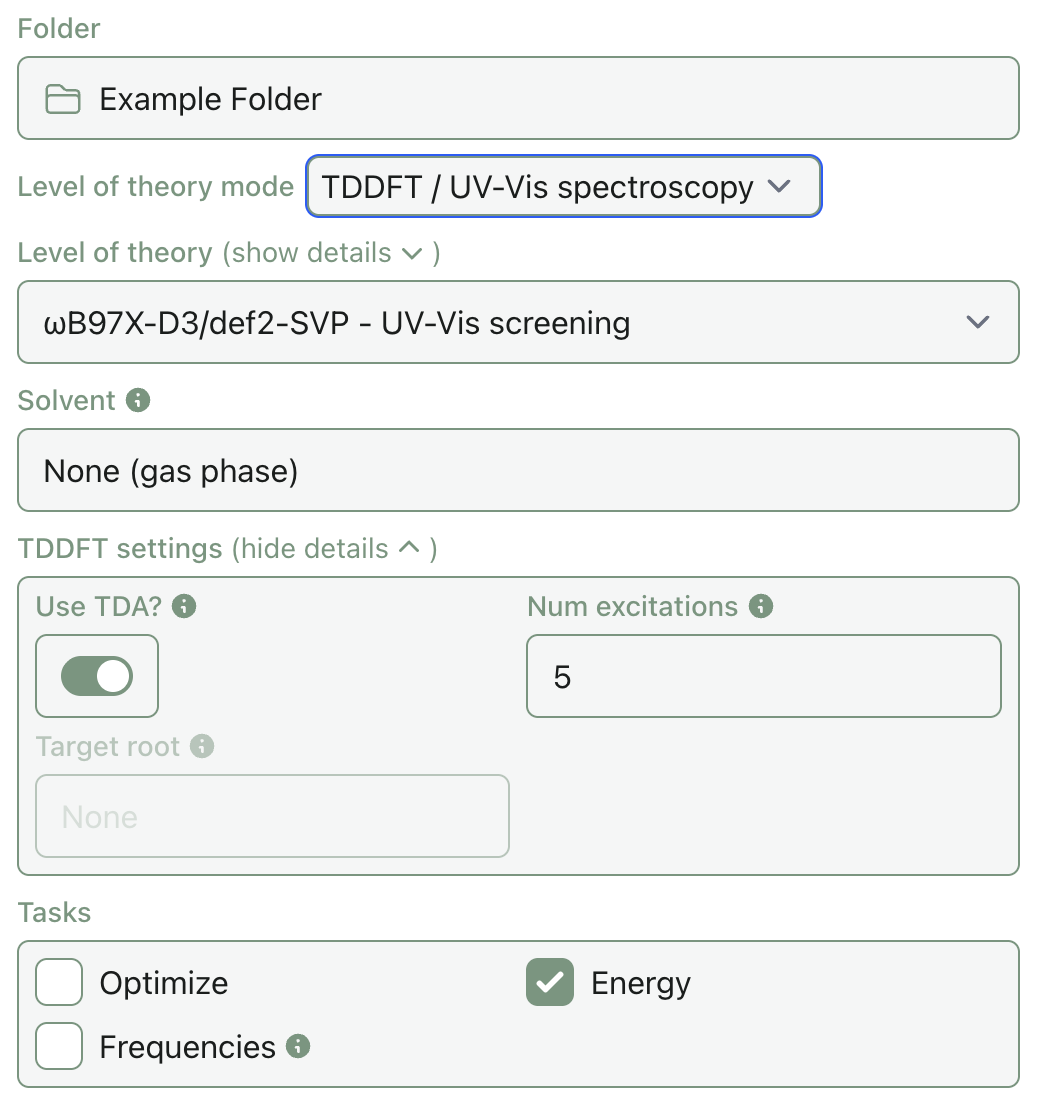
Currently, only TDDFT excited-state calculations are supported.
Select the level of theory you'd like to run your calculation at by choosing an appropriate DFT method and basis set. Rowan won't let you submit a calculation with an incomplete basis set for the molecules you've entered.
If any input field shows red, hover over it and read the text that will appear for information about the error.
Corrections
If the engine and method you've selected support it, use the dropdown to select a correction (currently, Rowan only supports the D3BJ correction).
Solvent
If the engine and method you've selected support it, click on the solvent field to select a solvent model and solvent.
Number of Excitations
Select the number of excitations to calculate. It is recommended to calculate 10–50 excitations for UV-Vis spectra, depending on system size. If running an optimization and the target root is not well separated from those around it, it is recommended to include a couple of roots above the target root to watch for root flipping.
Note: only excitations of the same multiplicity as the ground state will be calculated.
Target root
For gradients, optimizations, and frequencies, an excited state must be selected to target (target_root). This will be used for all geometry-related tasks.
Tasks
Select the tasks you'd like to run on your structure by clicking the corresponding checkboxes.
Currently, only "Energy", "Optimize", and "Frequencies" are supported in excited-state calculations.
If "Optimize" is selected, Rowan will conduct the geometry optimization of the target root first and carry out all other tasks on the final structure.